> For the complete documentation index, see [llms.txt](https://docs.a-pay.one/llms.txt). Markdown versions of documentation pages are available by appending `.md` to page URLs; this page is available as [Markdown](https://docs.a-pay.one/faq/a-pay-merchant-portal/interface/statistics/overview.md).
# Overview
At the top of the page, there is a filters panel**:** see [Filters panel description](/faq/a-pay-merchant-portal/interface/statistics.md#filters-panel)
### **Panels**
**This week deposits**\
Displays statistics on deposits according to the selected indicator for the current week.
**This week withdrawals**\
Displays statistics on withdrawals according to the selected indicator for the current week.
**This week Settlements**\
Displays statistics on settlements according to the selected indicator for the current week.
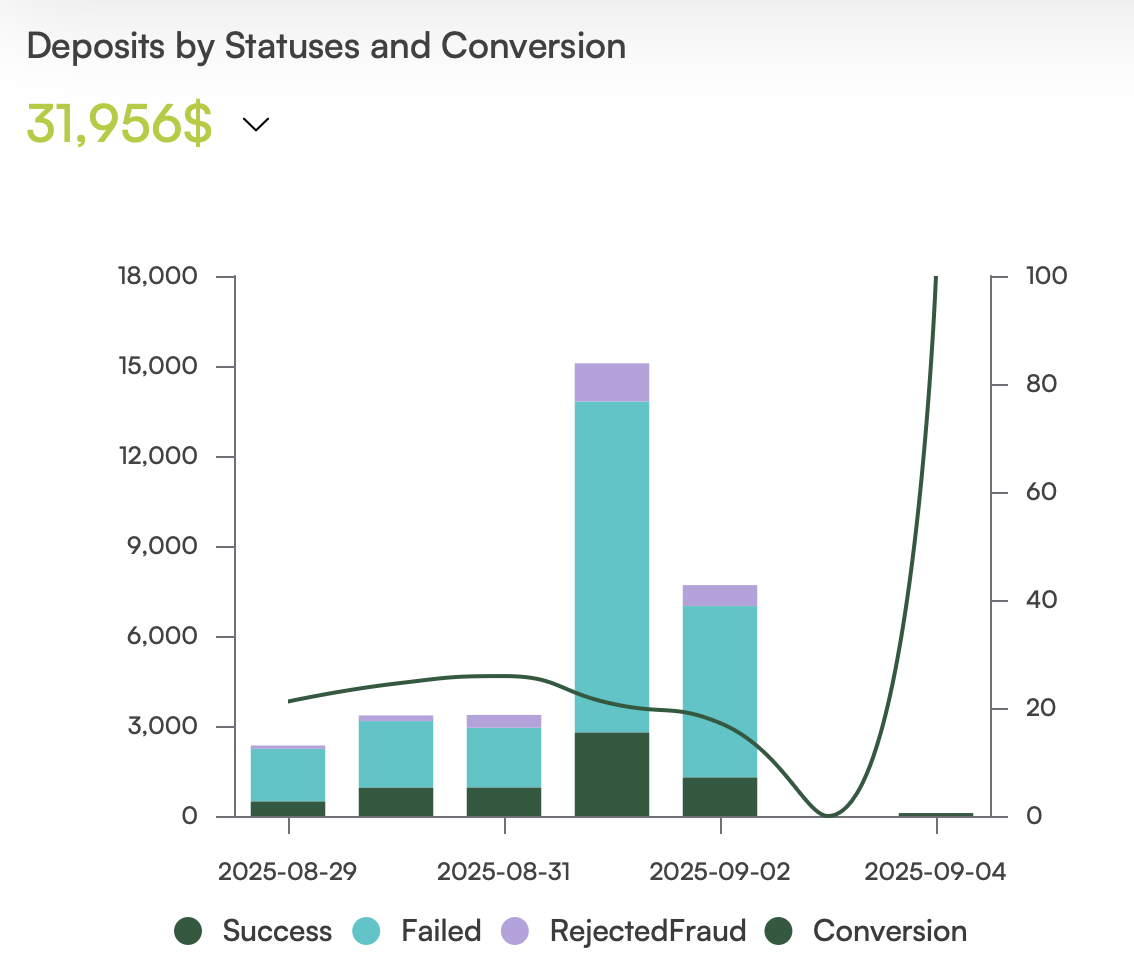
**Deposits by Statuses and Conversion**\
A combined chart showing deposit trends by status and conversion rate for the selected period.
* Left **Y** axis: deposit statistics — according to the selected indicator.
* Right **Y** axis: percentage of successful deposits out of all deposits.
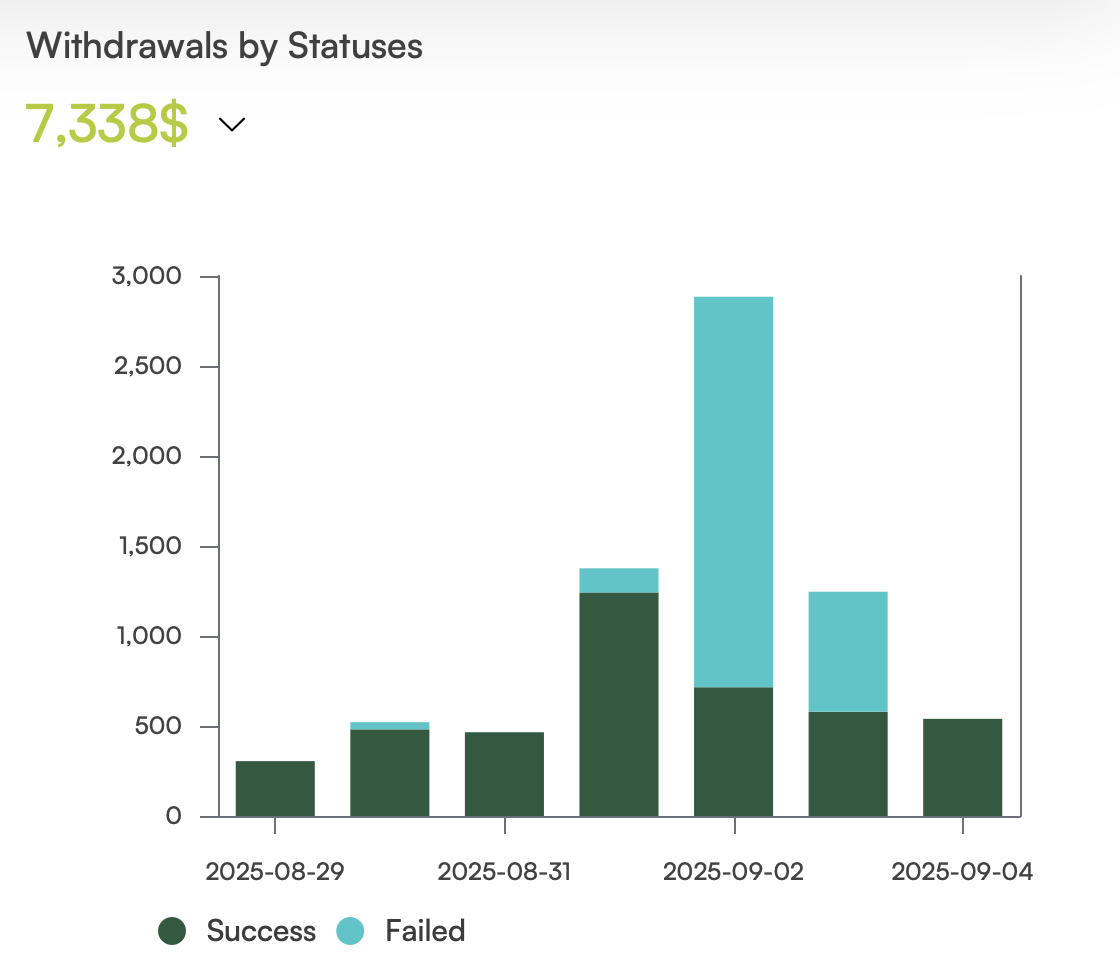
**Withdrawals by Statuses**\
A chart showing withdrawal trends by status.
* **Y** axis: withdrawal statistics — according to the selected indicator.